
Operators in Python
Operators are symbols used to perform operations on variables and values. They help us do calculations, comparisons, and logical operations in a program.
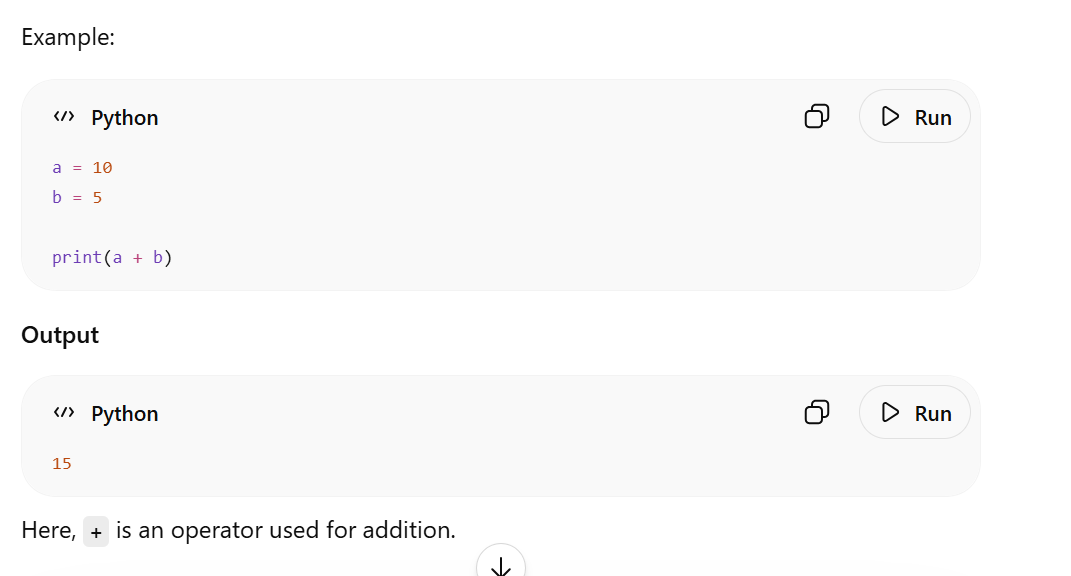
Example:
Image
image showing example
Image
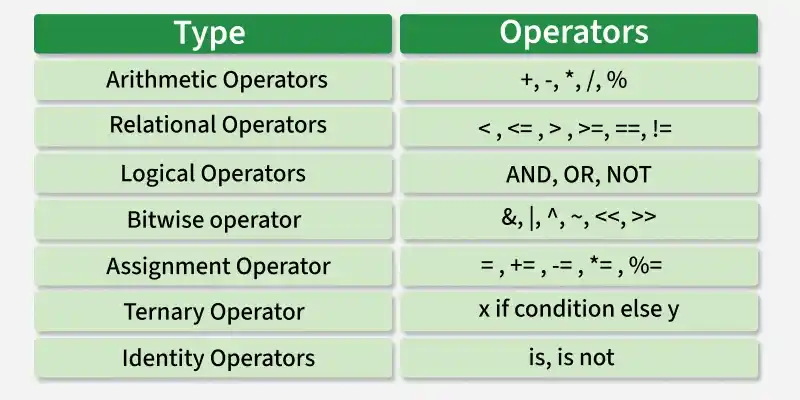
types of operators in python
image source: Geeks for Geeks
Types of Operators in Python
Python has:
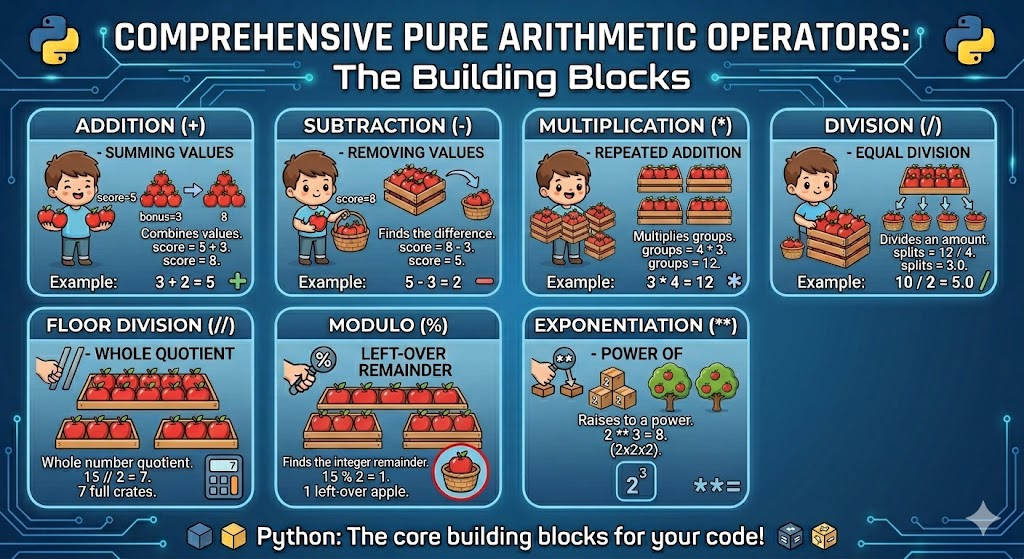
Arithmetic operators:
Image
image showing arithmetic operators
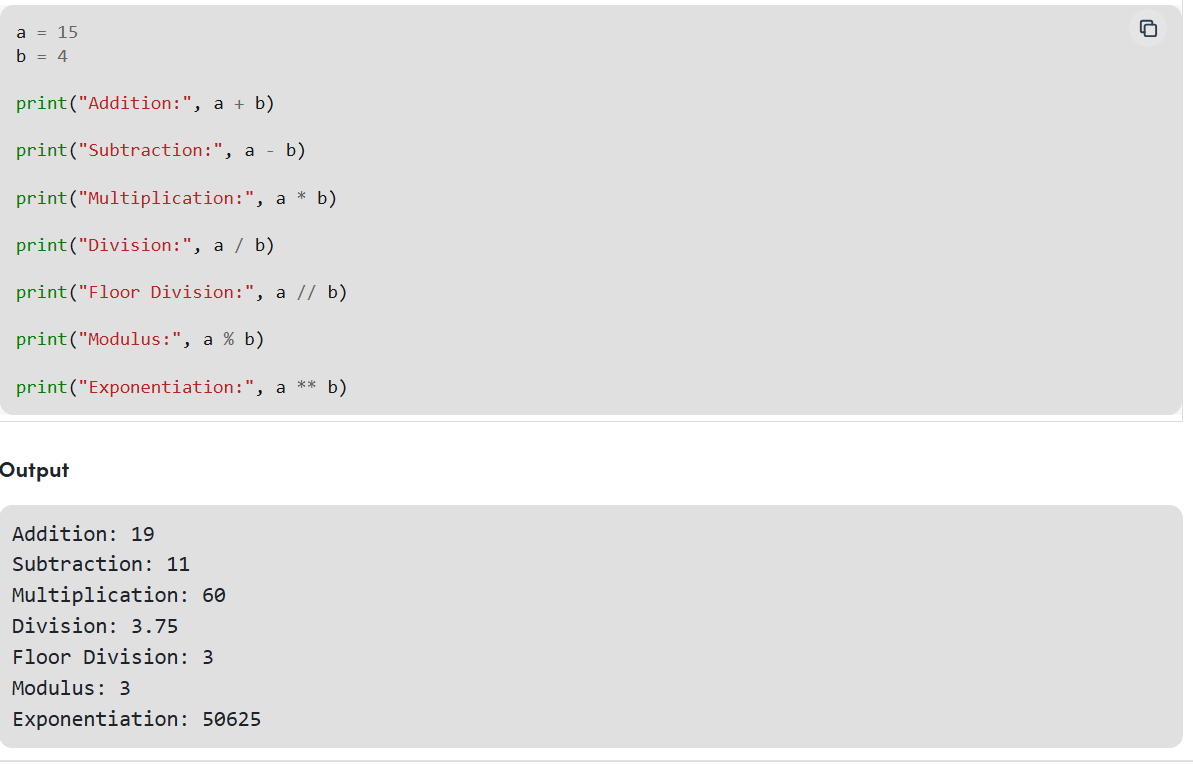
Now let us look at an example for a better understanding
Image
image showing example usage of arithmetic operators
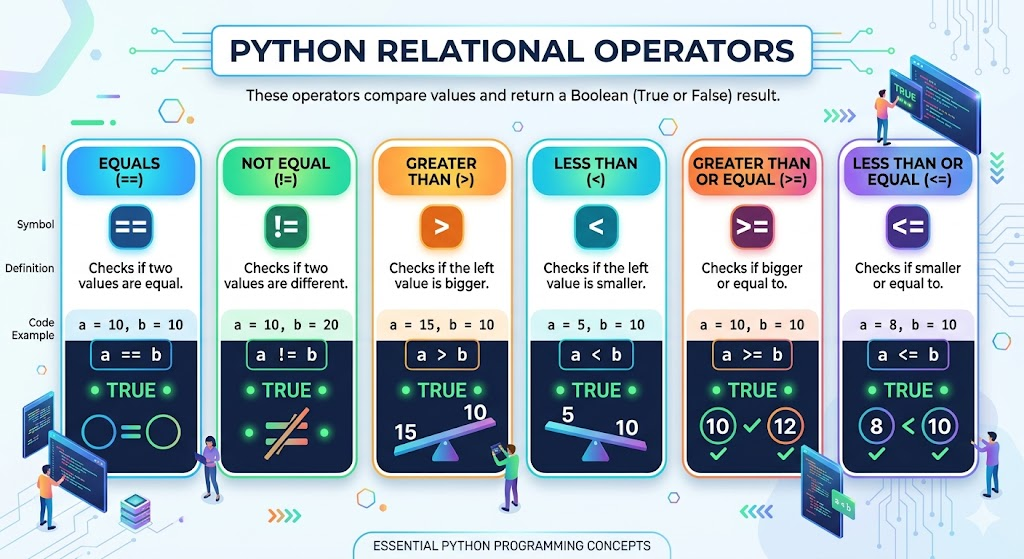
2. Relational (Comparison) Operators
Used to compare values.
Image
types are illustrated in image
Image
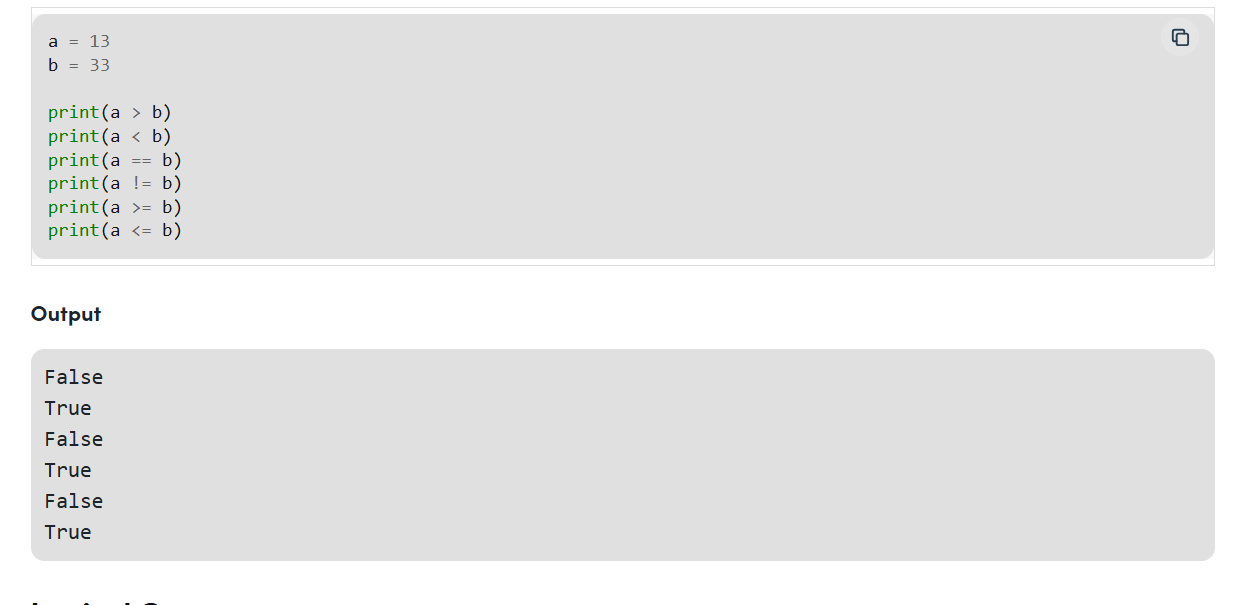
example of usage is illustrated in above image
Logical operators
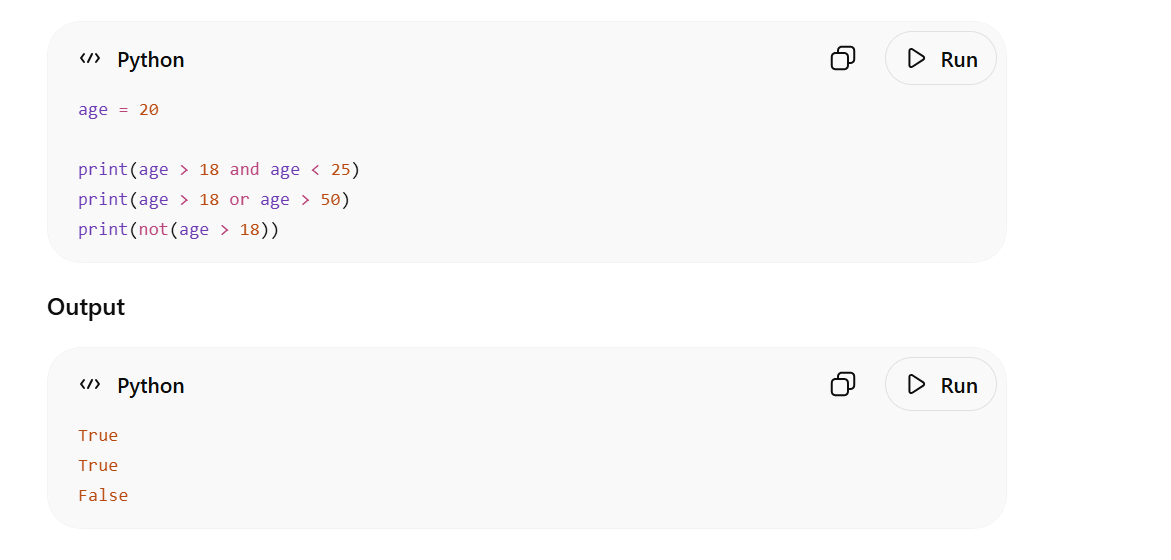
It is used perform Logical AND, Logical OR and Logical NOT operations. It is used to combine conditional statements.
The precedence of Logical Operators in Python is as follows:
Image
the above image shows an example usage in python
Bitwise Operators
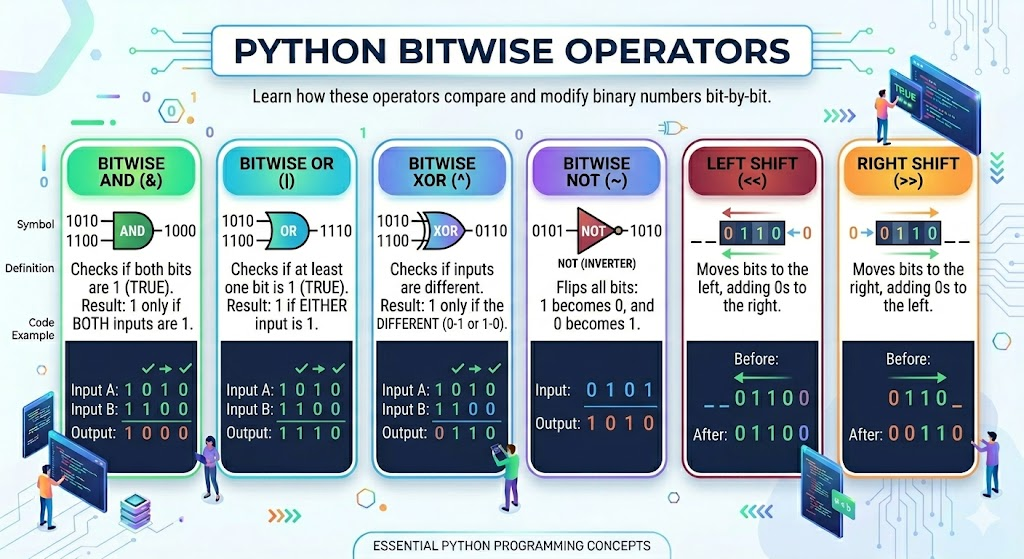
Bitwise operators act on bits and perform bit-by-bit operations. These are used to operate on binary numbers.
Bitwise Operators in Python are as follows:
Image
image illustrating bitwise operators
Bitwise AND (&)
2. Bitwise OR (|)
3. Bitwise XOR (^)
4. Bitwise NOT (~)
5. Left Shift (<<) and Right Shift (>>)
Image
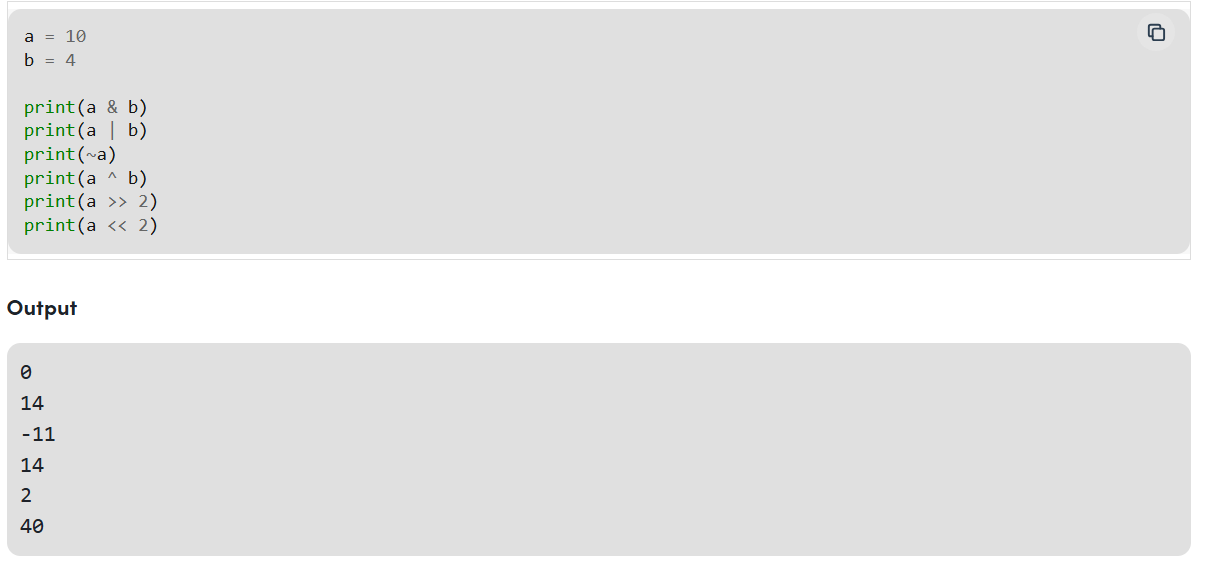
the above image illustrates an example usage in bitwise
Assignment Operators
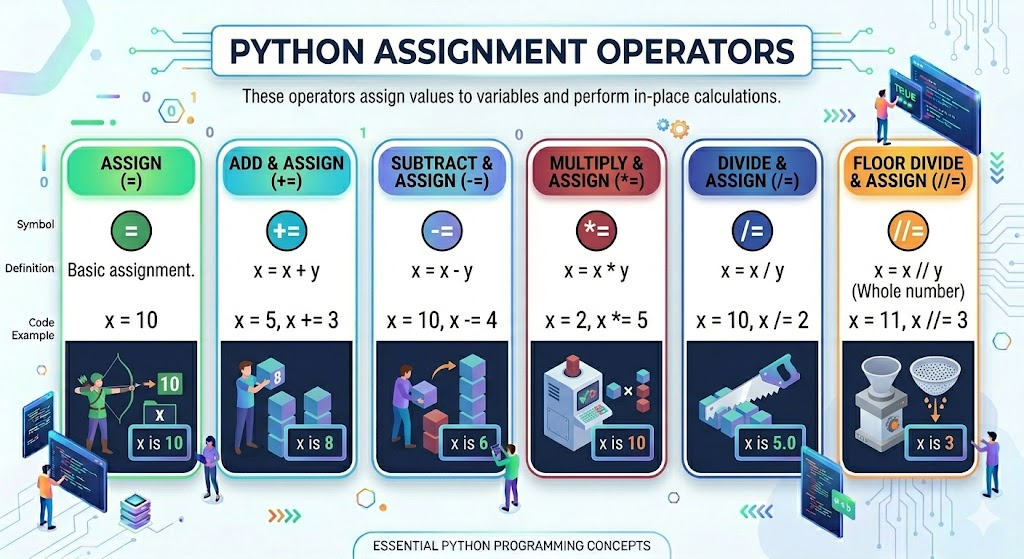
Assignment operators are used to assign values to the variables. This operator is used to assign the value of the right side of the expression to the left side operand.
Image
types of assignment operators
Image
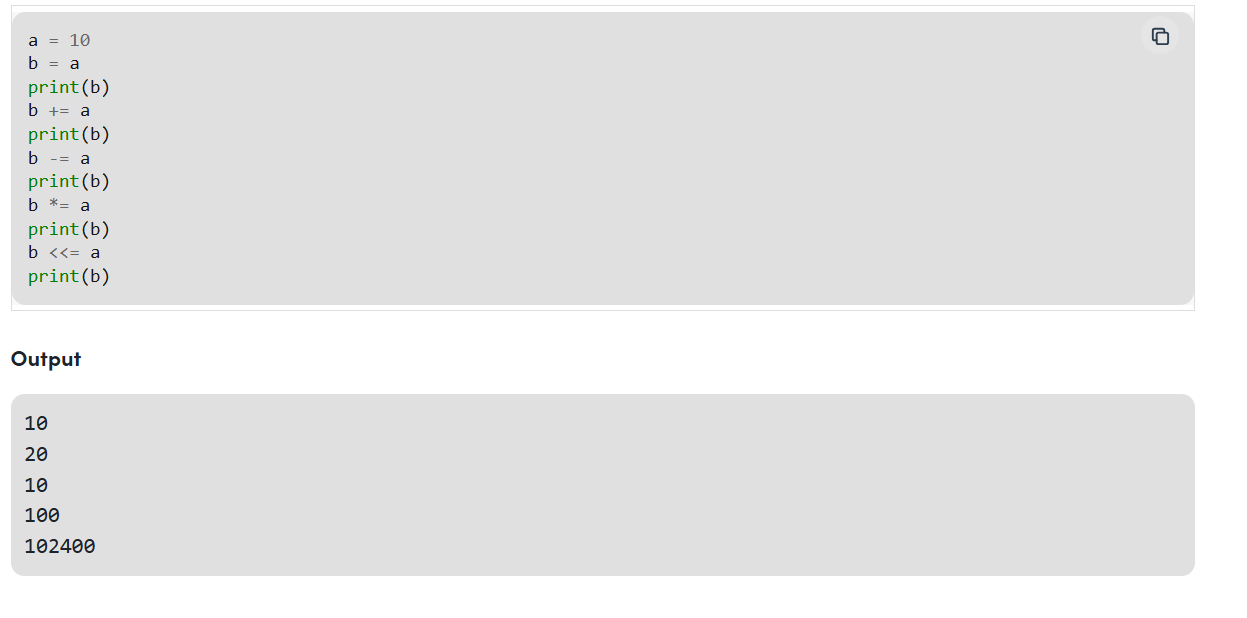
image showing example
Identity Operators
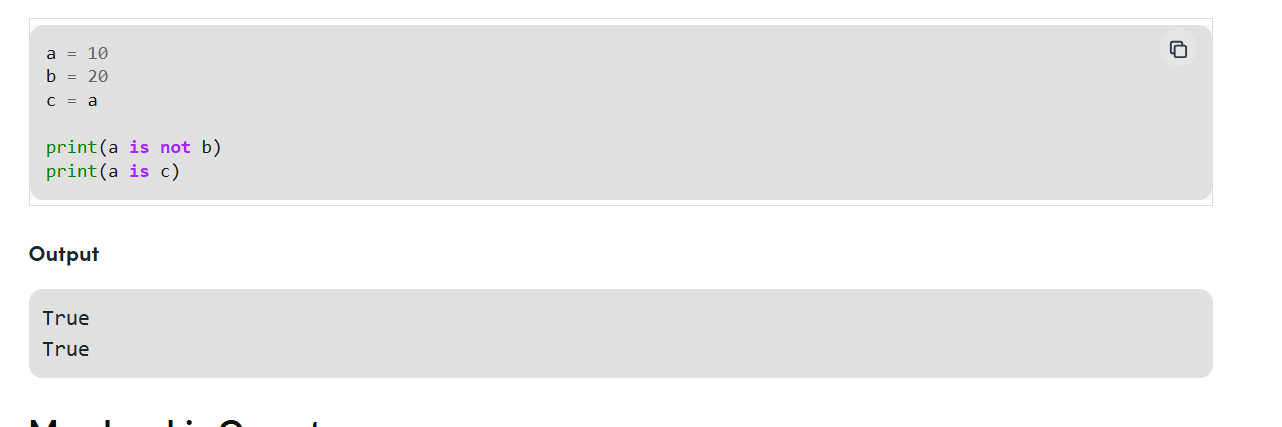
"is" and "is not" are the identity operators and both are used to check if two values are located on the same part of the memory. Two variables that are equal do not imply that they are identical.
is True if the operands are identical is not True if the operands are not identical
Image
Image shows example showing demonstration
Before understanding last two lets have a look on conditional statements in python
Conditional statements
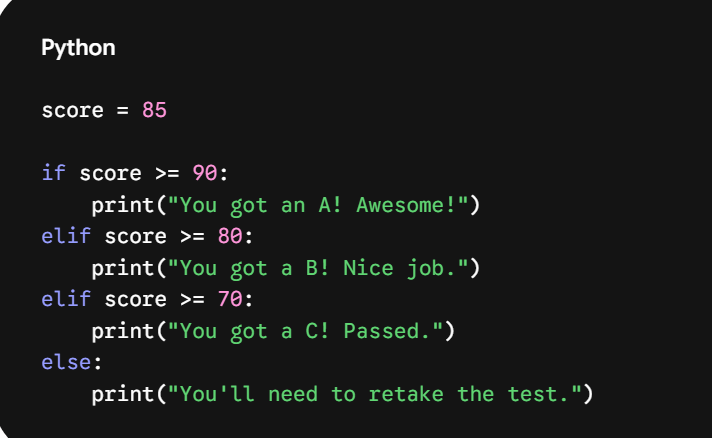
Conditional statements are how we make our code smart. They let your program make decisions based on certain criteria, executing different blocks of code depending on whether a condition is true or false.
Think of it like deciding what to wear: if it's raining, you grab an umbrella; else if (elif) it's cold, you wear a jacket; otherwise (else), you just wear a t-shirt.
The Three Core Keywords
Python uses three main keywords to handle logic: if, elif, and else.
Here is how they look in action:
Image
3 Rules of Python Conditional Syntax
There are a few syntax rules that often trip people up when they're first starting out. Keep these in mind to avoid errors:
To create a condition, you'll use comparison operators to evaluate your data. These always return either True or False:
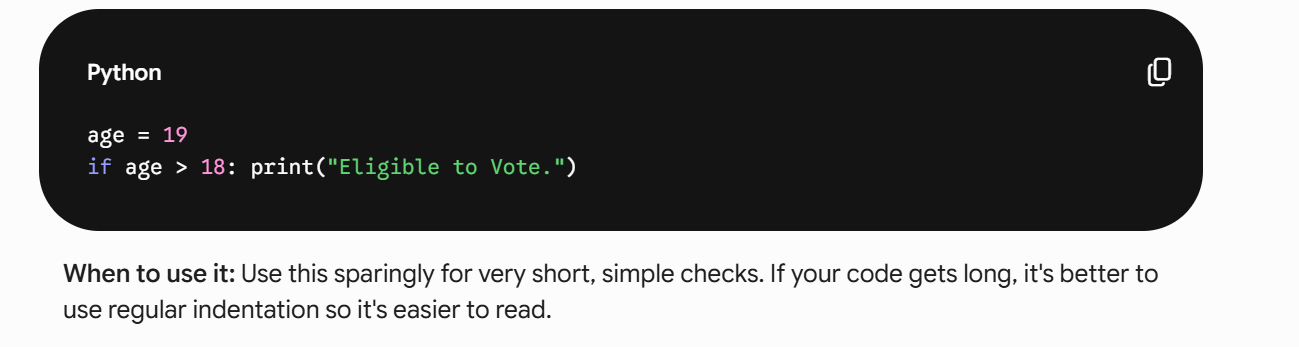
1. Short-Hand if (The One-Liner)
When you have only one action to take after an if statement, you can skip the line break and write it all on a single line.
Image
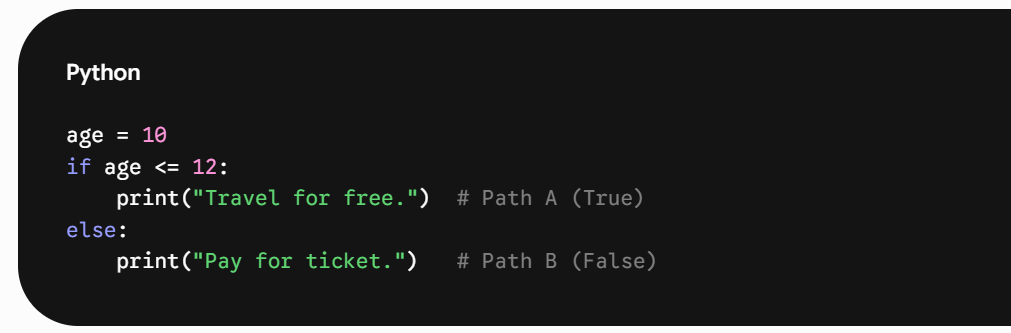
2. If-Else vs. If-Elif-Else
This is the core of structural logic. Think of it as a path that splits.
Image
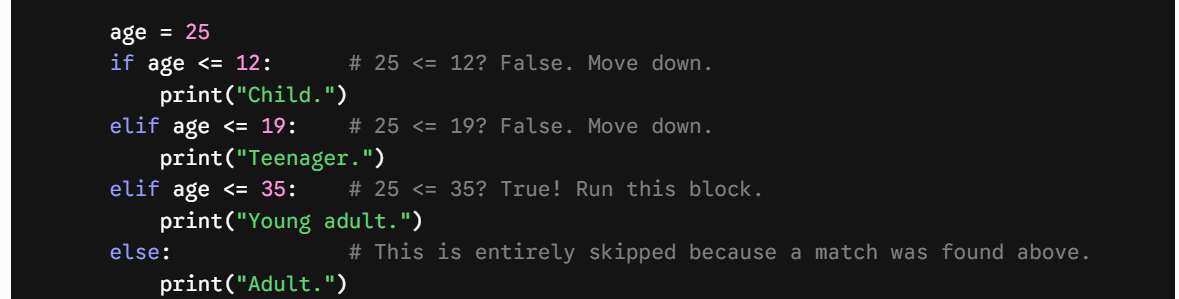
if-elif-else (Multiple Paths): Used when you have a chain of conditions. Python checks them top to bottom. The moment it finds one that is True, it runs that code and skips the rest.
below is demonstration in code
Image
5. Match-Case (Python's Modern Switch)
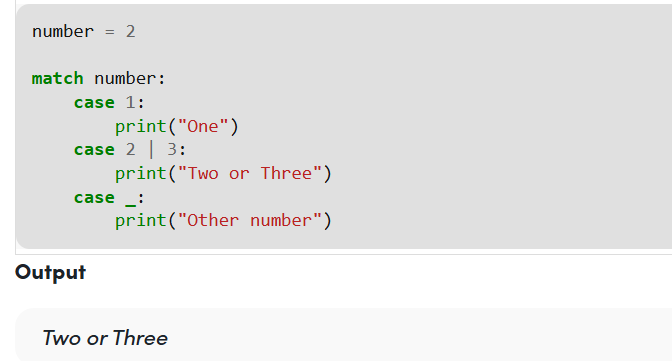
Introduced in Python 3.10, match-case is a much cleaner way to write long if-elif-elif-else chains when you are just checking the value of a single variable against multiple options.
below is demonstration of it
Image
Now that you understood conditional statements let us look at ternary operators and membership operators
Ternary operators:
Image
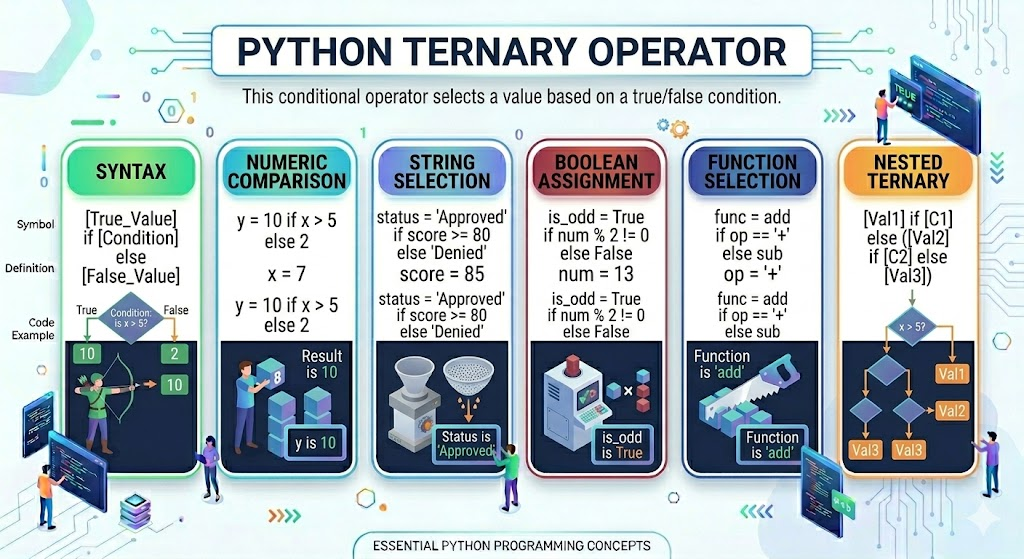
image showing ternary operators
Ternary operators also known as conditional expressions are operators that evaluate something based on a condition being true or false. It was added to Python in version 2.5.
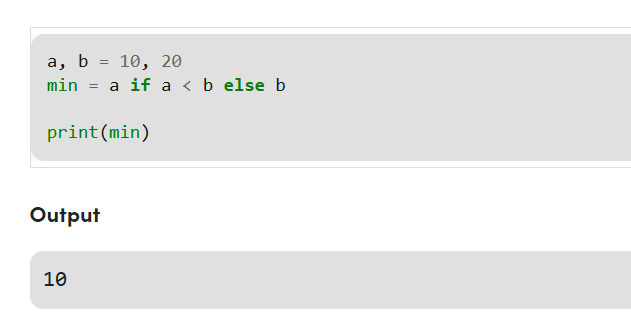
It simply allows testing a condition in a single line replacing the multiline if-else, making the code compact.
Syntax : [on_true] if [expression] else [on_false]
Image
Membership Operators
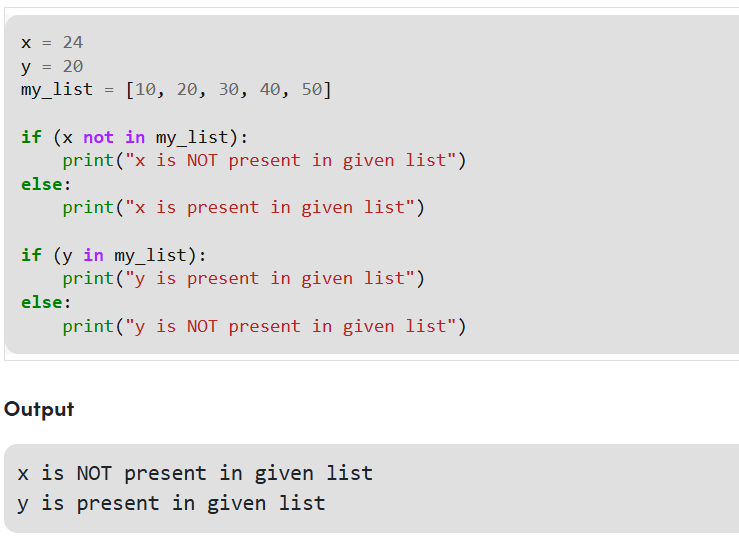
"in" and "not in" are the membership operators that are used to test whether a value or variable is in a sequence.
in True if value is found in the sequence not in True if value is not found in the sequence
Image
example showing membership operatrs
Homework
Try these programs on your own to improve your understanding of operators and conditional statements in Python.
Operators Practice
+=, -=, *=
innot in
Conditional Statements Practice
Conclusion
In this episode, we learned about:
These concepts are very important because they help programs:
Operators and conditional statements are the backbone of programming logic and are widely used in Artificial Intelligence and Machine Learning applications.
Keep practicing regularly, because coding skill comes only by writing programs and debugging your own mistakes 😭
Stay tuned for the next episode to continue learning Python for AI and Machine Learning.
Source:
This article uses ai generated images for better understanding
this article uses some references from geeks for geeks
for previous episode click here
Updated for 2026 with beginner-friendly Python examples.
Written by Chakradhar on May 19, 2026