
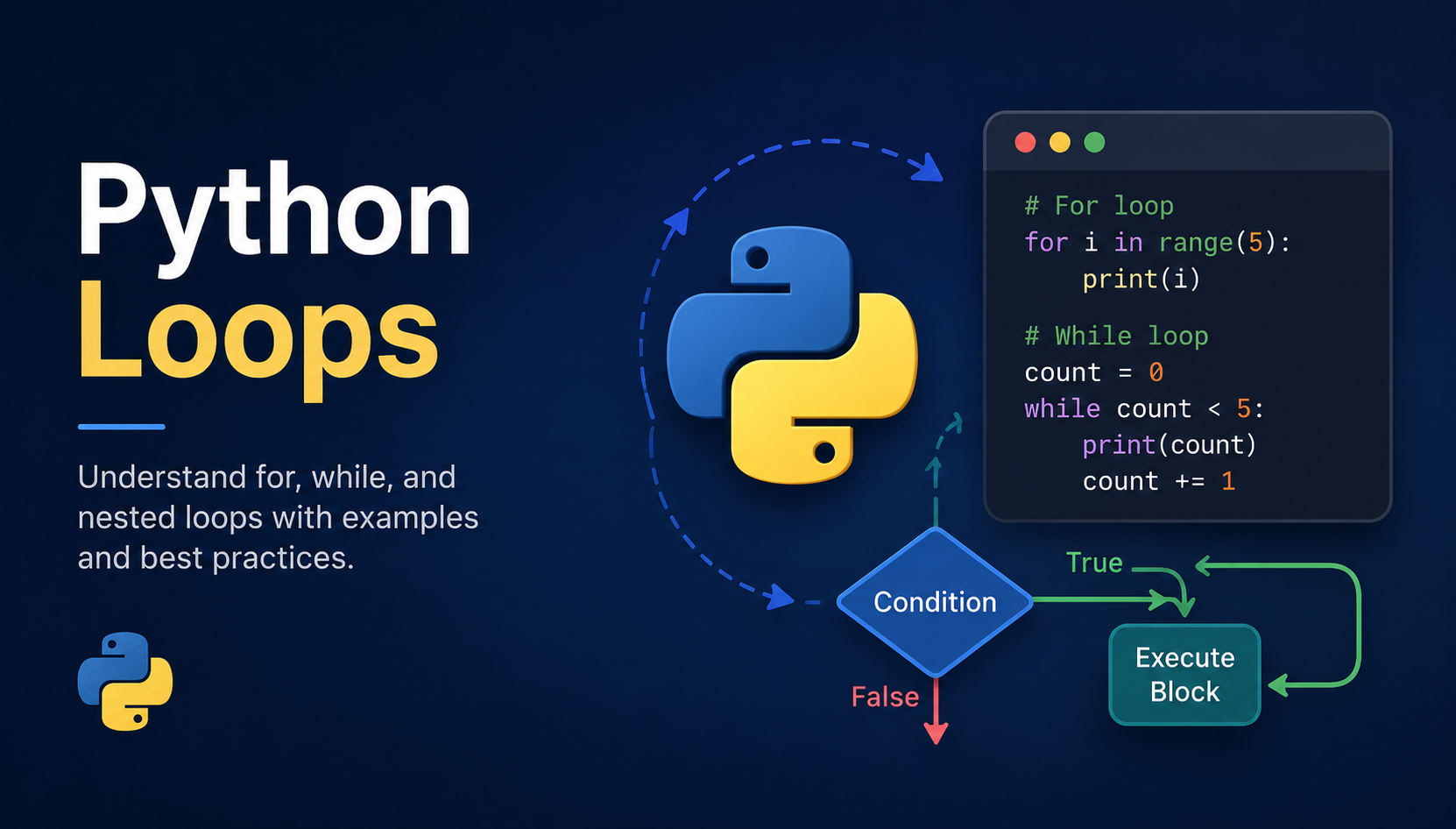
Loops in Python
Loops are used to execute a block of code repeatedly until a condition is met or all items in a sequence are processed. They help reduce repetitive code and make programs more efficient.
The main types of loops in Python are:
For Loop
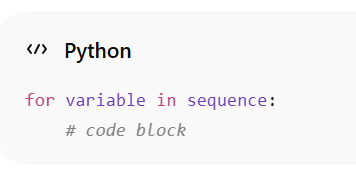
A for loop is used to iterate over a sequence such as a list, tuple, string, or range. It executes a block of code once for each item in the sequence.
Syntax
Image
Understanding range()
Before learning loops, it is important to understand the range() function because it is commonly used with loops.
The range() function generates a sequence of numbers.
Example
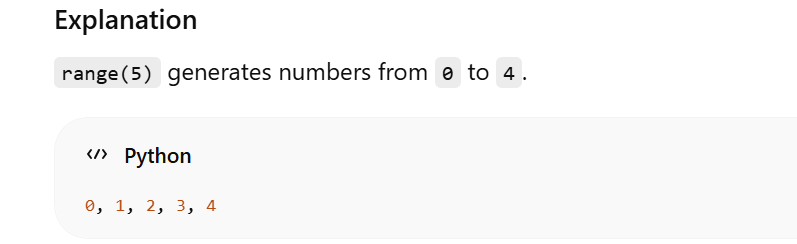
print(range(5))
Image
Python starts counting from 0, so the ending value is not included.
Different Ways to Use range():
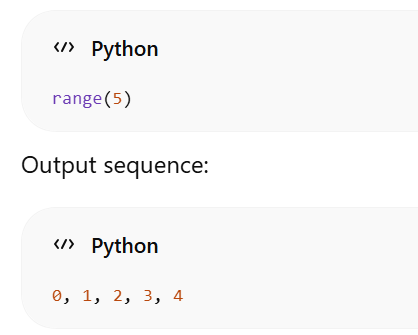
Using Only Stop Value:
Image
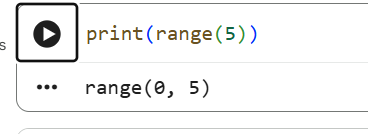
However in real life you may not notice this instead your interpreter will show this
Image
but for understanding purpose i will be showing how the sequence would be
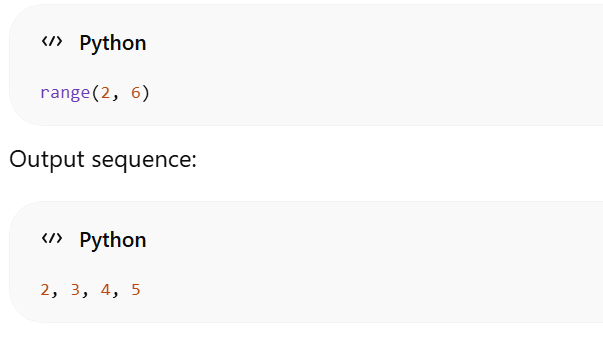
Using Start and Stop Values
Image
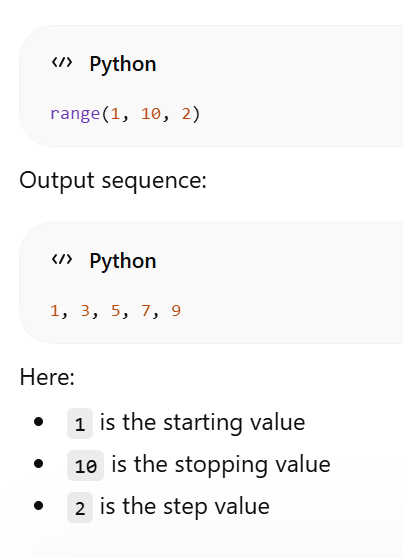
Using Start, Stop and Step Values
Image
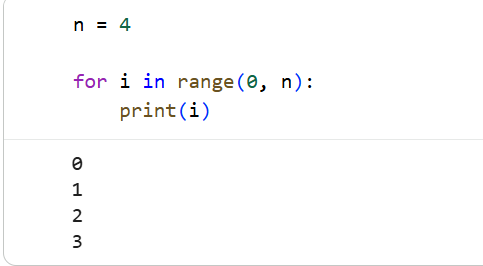
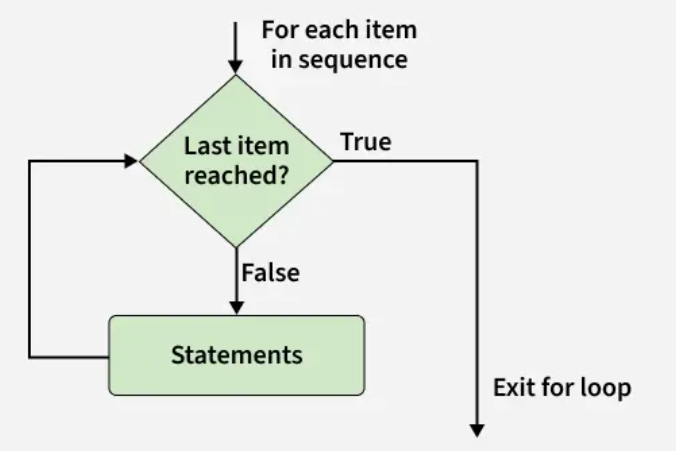
A for loop is used to iterate over a sequence such as a list, tuple, string, or range. It executes a block of code once for each item in the sequence.
Image
Explanation
Below is the flowchart of For loop:
Image
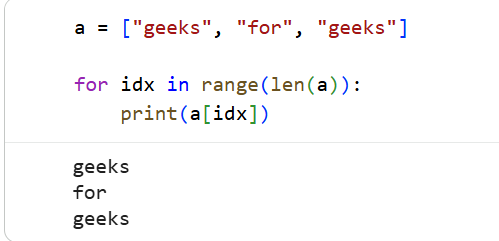
Iterating by Index of Sequences
A for loop can also access elements using their index values with the help of range() and len().
Image
here a is list right now just know how it works ,you will later come to know about lists ,as of now know that lists are sequence of elements in python
Explanation
While Loop
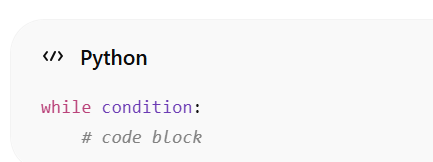
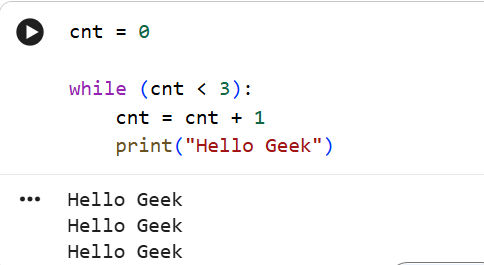
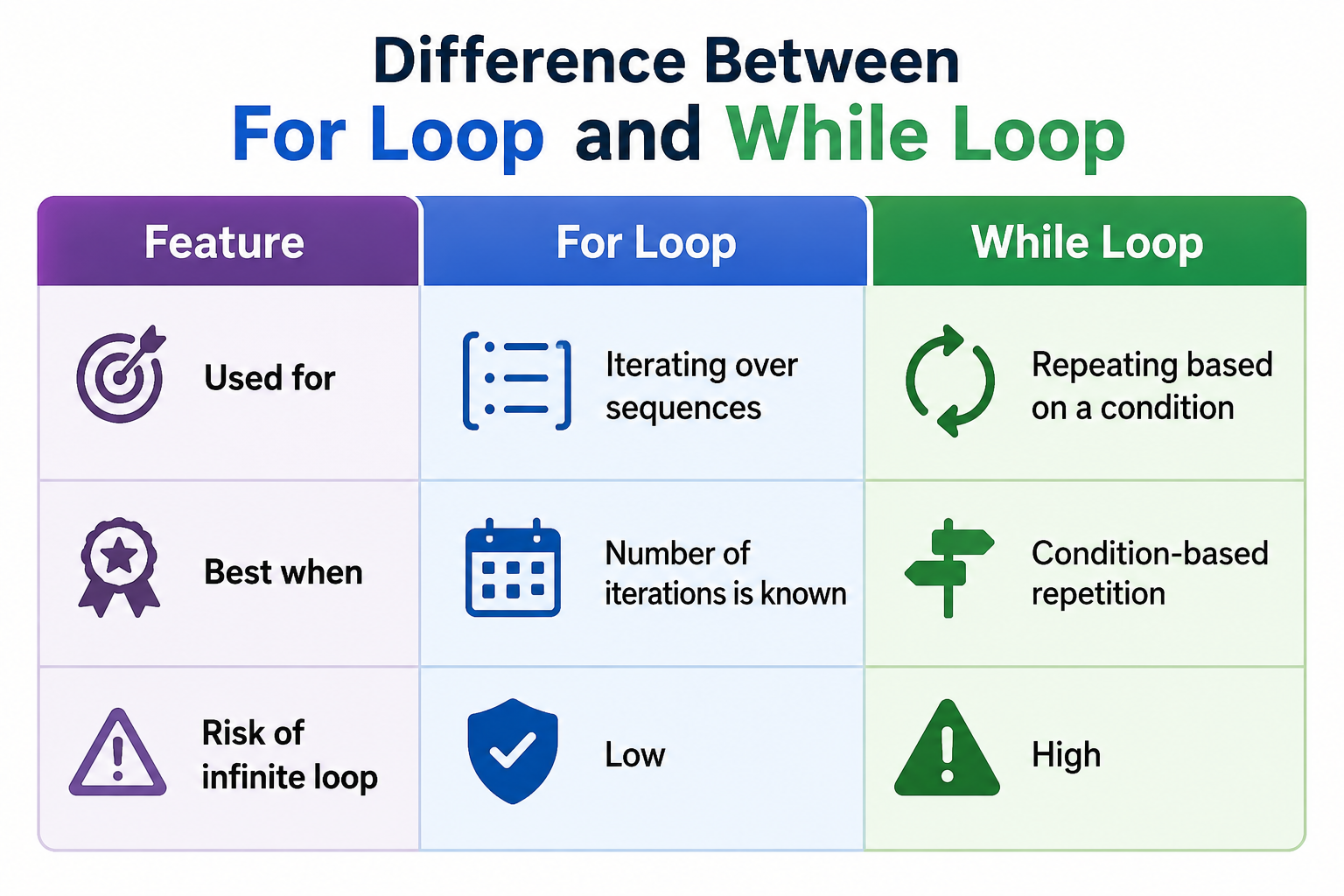
A while loop repeatedly executes a block of code as long as the given condition remains true. When the condition becomes false, the loop stops.
Syntax:
Image
Example:
Image
Explanation
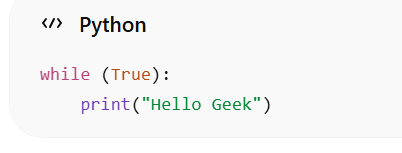
Infinite While Loop
An infinite while loop runs continuously because its condition always remains true.
Example
Image
Explanation
Note: Infinite loops should generally be avoided because they never stop automatically.
if you want to try you can at your own risk ,because once it starts it never concludes unless you manually interrupt or your system prunes the process
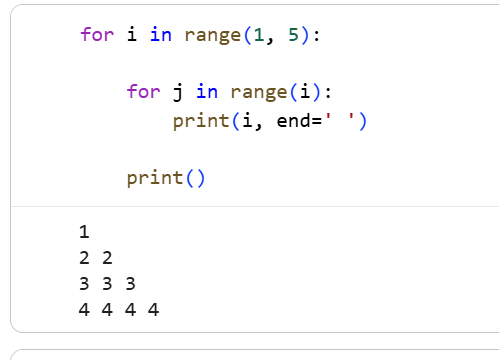
Nested Loops
A nested loop is a loop inside another loop. The inner loop executes completely for every iteration of the outer loop.
Example
Image
Explanation
Image
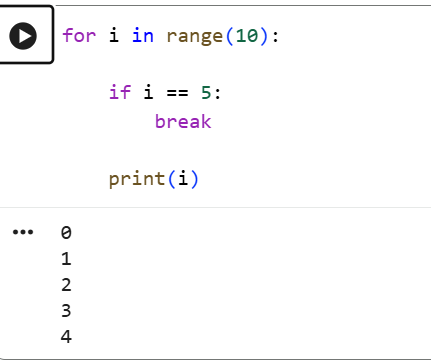
Break Statement
The break statement is used to immediately stop the loop even if the loop condition is still true.
Image
Explanation
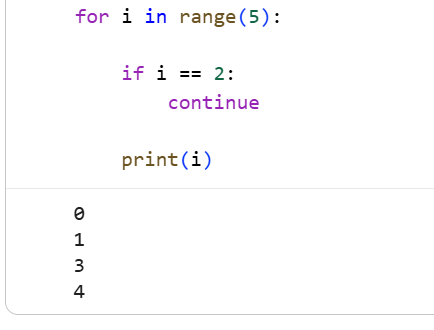
Continue Statement
The continue statement skips the current iteration and moves to the next iteration of the loop.
Image
Explanation
Conclusion
Loops are one of the most important concepts in Python programming. They help automate repetitive tasks and make coding easier.
Practicing loops regularly improves programming and problem-solving skills.
homework:
While loop in Python | Practice | GeeksforGeeks
Write a Python program using a for loop to print all even numbers from 1 to 20.
Write a Python program using a while loop to find the sum of numbers from 1 to 10.
solve the problems and send answers through our instagram page
https://www.instagram.com/chipsetsrmrmp/
or
through our x or LinkedIn:
(2) CHiPSET: Overview | LinkedIn
thankyou stay tuned for next episode
Written by Chakradhar on May 24, 2026